Click to open · Right-click or long-press to flag · Click a number to chord · Arrow keys + Enter / F
Minesweeper
Clear the board without setting off a mine. Each number tells you how many mines touch that square — use logic to find them all.
Now showing on Puzzle
How to play Minesweeper
- Click any square to start. Your first click is always safe and opens an area of the board.
- A number shows how many of the eight surrounding squares hide a mine.
- When you are sure a square has a mine, flag it.
- Open every square that is not a mine to win. Hit a mine and the game is over.
Patterns every player should know
- The 1 in a corner. If a 1 touches only one hidden square, that square is a mine.
- 1-1 along a wall. Two 1s side by side on a straight edge: the square beyond the second 1 is safe.
- 1-2-1. In a 1-2-1 row along an edge, the mines sit next to the two 1s and the square by the 2 is safe.
- Satisfied numbers. Once a number has all its mines flagged, every other square around it is safe — chord it open.
- When you must guess, guess early and far from the numbers, where an opening is more likely.
Why Minesweeper is good for your brain
Minesweeper is pure deduction: almost every move can be worked out from the numbers on screen. It trains pattern recognition, careful reasoning and patience, and a Beginner game takes only a minute — perfect for a quick break.
Frequently asked questions
How do I flag a mine?
Right-click a square on a computer. On a phone or tablet, press and hold a square, or switch on Flag mode with the flag button so every tap places a flag. Keyboard players can press F.
Can I hit a mine on my first click?
No. Mines are placed only after your first click, and never on that square or the eight around it, so every game starts with an opening.
What is chording?
When a number already has the right amount of flags around it, click the number itself and all its other neighbours open at once. It is the biggest time-saver for fast clears. Middle-click works too.
What do the difficulty levels mean?
Beginner is a 9 × 9 board with 10 mines, Intermediate is 16 × 16 with 40 mines and Expert is 30 × 16 with 99 mines. On narrow phone screens the Expert board is turned on its side so the squares stay big enough to tap.
Are my best times saved?
Yes, your best time for each level is stored in this browser only.
More like this
 Pixel Jam Bus Puzzle: Color SortPuzzle
 Cozy Tiles – Relaxing Picture PuzzlePuzzle
 Royal GridPuzzle
 Color Sort PartyPuzzle
 Blobby JarsPuzzle
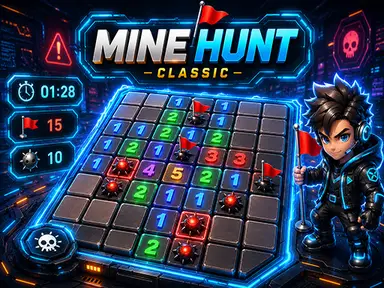 Mine Hunt ClassicPuzzle
 Fruit BlastPuzzle
 Looking For AliensPuzzle
 Cozy GnomesPuzzle
 Orbit PalsPuzzle
 Just RightPuzzle
 Secret Hall: Hidden ObjectsPuzzle
 Cooking Block FeverPuzzle
 Unspool ArtPuzzle